Business Website, CRM & Customer Operations in Ludhiana
Build an enquiry journey and practise CRM, support and onboarding workflows with test data. Explore how a website, communication and operator handoff fit together.
Business learners, support/onboarding staff and nontechnical operators
Starting skills
Business-process familiarity and basic computer skills
Tools & access
A practice website/CRM environment, synthetic customer records and agreed communication tools.
Level & learning format
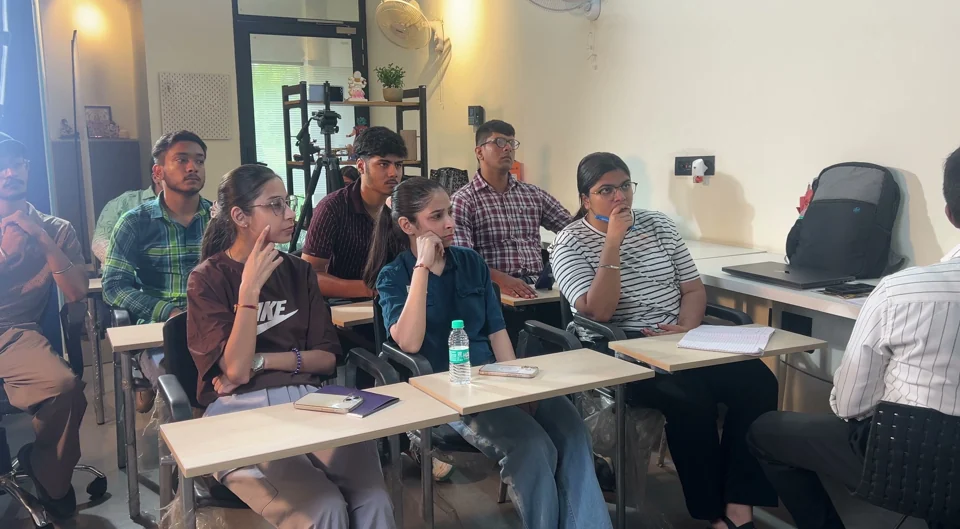
Beginner foundations through advanced, supervised project practice. Start at your assessed level and agree the modules and schedule for academy-based training in Ludhiana.
Mentor, schedule & intake
Confirm the assigned mentor, current availability, class days and contact hours with the academy before enrolment.
Your learning pathway
Beginner foundations. Advanced project skills.
See what you’ll learn at each level. Open a module for the topics and tools, then work towards a complete, scoped project.
Start with the essentials
Beginner syllabus
What you’ll build: Map a business process and build a simple website-to-CRM workflow with sample enquiries.
01Business process discovery+
Map enquiries, sales and operations; identify repeated work; choose a measurable and realistic first workflow.
Tools: Microsoft Excel
02Data and CRM foundations+
Contacts, companies and pipeline stages; clean fields and ownership; consent and access requirements.
Tools: Microsoft Excel
03Website and enquiry journeys+
Useful forms and landing pages; validate customer input; define notifications and responsible staff.
Tools: WordPress
04Automation with n8n+
Triggers and actions; field mapping and credentials; test a small workflow safely.
Tools: n8n
05AI support for daily operations+
Source-checked summaries and drafts; prompt templates; human review before messages or record changes.
Tools: ChatGPT / OpenAI
06First connected business process+
Capture sample enquiries in a pipeline; notify an operator; document failures and manual fallback. Current workflow: Vibe coding with current web standards.
What you’ll build: Deliver an integrated business workflow with approvals, reliable data updates and an operator handoff.
07CRM and ERP workflow design+
Sales-to-order and fulfilment steps; inventory and invoice data boundaries; role-based approvals and audit history.
Tools: n8n
08APIs, webhooks and integrations+
Authenticated connections and schemas; webhook validation; duplicate prevention and retry logic. Current workflow: Claude + n8n: from chat to a workflow.
Tools: n8n · Claude · MCP
09Customer communication automation+
Opt-in WhatsApp follow-ups; templates and handoffs; stop rules and conversation status.
Tools: WhatsApp · n8n
10Business reporting and controls+
Define pipeline and operational metrics; reconcile source data; build a reviewed Excel or Power BI dashboard.
Tools: Microsoft Excel · Microsoft Power BI
11Reliability and rollout+
Staging and approved test data; access review and monitoring; exception queues and recovery instructions.
Tools: n8n · Git
12Integrated business application project+
Build a complete supervised workflow; test ownership and error paths; deliver dashboards, workflow exports and staff guidance. Current workflow: Claude + Higgsfield: turn a brief into media.
Tools: WordPress · n8n · Microsoft Power BI · Claude · Higgsfield · MCP
Beginner modules build the skills needed for the advanced route. Your starting exercise, training format and agreed project determine the modules covered. Paid tools, subscriptions and platform access are confirmed before enrolment.
A project you can explain
Build, run and explain your project
A demo enquiry-to-onboarding workflow without live unsolicited messaging
Choose the project features and milestones with your mentor to fit your starting level and training format.
From brief to demonstration
Agree the problem, starting skills and a narrow scope.
Use synthetic, licensed or explicitly approved source material.
Build in stages and keep your working files and revision history.
Check the result, document failures and improve the work.
Explain your own contribution and demonstrate a change or revision.
The pathway uses consent-based communication and approved processes. It does not teach scraping people’s contact details for unsolicited campaigns.
Is this for engineering students only?
Business and operations learners can discuss this route. Review each technical task and choose a realistic scope for your starting point.
Will every business task become automatic?
Human decisions, exceptions and escalations remain part of the workflow. Choose carefully which steps are suitable to automate.
Is this the same as the WhatsApp automation course?
This route covers the wider customer journey, including a website, CRM, support and onboarding. The WhatsApp route goes deeper into that channel’s access and message workflows.
Can I start business IT and automation as a beginner in Ludhiana?
The pathway starts with map a business workflow. You practise customer enquiries, process owners, bottlenecks, service standards and a measurable improvement goal. Your starting exercise identifies any computer, programming or subject foundations to complete before advanced modules.
What project can I build during business IT and automation training?
Project direction: A demo enquiry-to-onboarding workflow without live unsolicited messaging The extended project stage covers: Demonstrate an enquiry-to-onboarding system, test exceptions and hand over an operator guide. Agree the features, training schedule and demonstration environment with your mentor; a short college format covers a suitable subset.
Build consent-based WhatsApp workflows for enquiries, support and onboarding. Practise official-platform access, approved messages, chatbot escalation and CRM integration with test contacts.
Build and maintain a responsive WordPress website. Learn content structure, forms, basic SEO, backups and safe updates through a practical site project.
Build a practical workflow with n8n and understand where AI agents help. Connect approved data and tools, add human review, and test failures, duplicate events and recovery before demonstrating your project.
Discuss a task you enjoy, your current skills and an example of your work. Use the guidance conversation to compare learning options and the practice you still need.


 Microsoft Excel

 n8n
 ChatGPT / OpenAI

 GitHub Copilot

 Claude

 WhatsApp
 Microsoft Power BI