


Practical IT training · Ludhiana

AI & automation · Ludhiana

Python & Generative AI Development in Ludhiana

A Python course in Ludhiana covering programming, APIs and source-grounded Generative AI projects. Build, test and explain your own application.

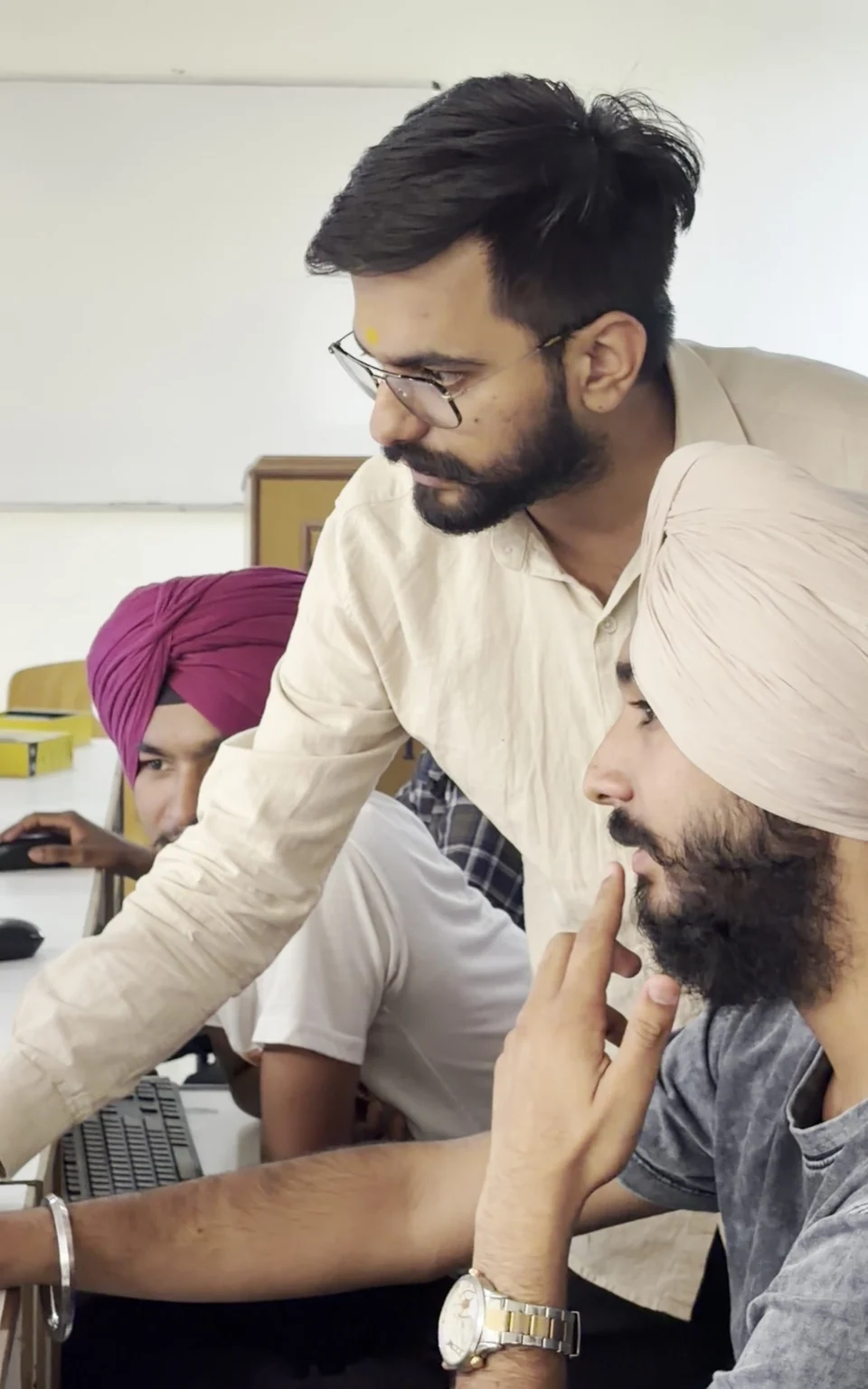
A mentor supporting a learner at a computer workstation

Tools you’ll learn to use

PythonVisual Studio CodePostgreSQLGitChatGPT / OpenAICursorGitHub CopilotFastAPIDjangoPostmanHugging FaceClaudeMCPDocker
Generative AIAPIsSource-grounded answers

Current skills · practical learning in Ludhiana

What’s new in the AI era?

Learn how Python foundations support the coding agents and connected tools used in modern AI applications.

Reviewed See the full syllabus ↓
2026 industry perspective


ChatGPT / OpenAICursorGitHub Copilot

Jensen Huang on the shift to AI agents

AI agents can take on multi-step coding tasks. Huang’s 2026 keynote and NVIDIA’s engineering account connect that shift to day-to-day software work.

In this course

Use a coding assistant on a small Python task, inspect the diff and explain the tests before accepting changes.

The classroom task focuses on code understanding, tests and reviewed changes.

Explore module 06
Sources & expert videos
Connected-tool lab
ClaudeMCP

MCP: give an assistant useful tools

MCP lets an assistant discover and call connected tools. A useful workflow needs clear inputs, permissions and a result you can check.

In this course

Expose one validated Python function as a tool and test how the assistant handles invalid input and denied actions.

Start with a scoped test server and approved sample data.

Explore module 10
Sources & expert videos
October 2026 perspective
PythonDocker

Local AI: understand the hardware trade-offs

Huang and Nadella’s October discussion highlights AI agents on PCs. Choosing local or hosted execution involves practical resource and privacy trade-offs.

In this course

Compare a local and hosted demonstration plan, recording memory, response time, privacy needs and realistic running costs.

A comparison exercise; specialist NVIDIA hardware is not required or promised.

Explore module 12
Sources & expert videos

These workflows connect to the modules below. We use approved sample projects and check the software, account access and costs before a lab.

At a glance

Is this your next learning step?

Choose the route for the work you want to practise. Your starting exercise helps set a realistic level and project scope.

Compare all courses →
Who it suits
BTech, BCA and MCA students; beginners join a foundation route
Starting skills
Basic computer use; Python and API readiness checked before the application module
Tools & access
A computer for Python, Git and a code editor. Discuss model API access and use synthetic or approved documents.
Level & learning format
Beginner foundations through advanced, supervised project practice. Start at your assessed level and agree the modules and schedule for academy-based training in Ludhiana.
Mentor, schedule & intake
Confirm the assigned mentor, current availability, class days and contact hours with the academy before enrolment.

Your learning pathway

Beginner foundations. Advanced project skills.

See what you’ll learn at each level. Open a module for the topics and tools, then work towards a complete, scoped project.

Start with the essentials

Beginner syllabus

What you’ll build: Write and debug Python programs that process files, organise data and call an API.

  1. Python setup and first programs

    VS Code and virtual environments; values and types; input, output and readable expressions.

    Tools: Python · Visual Studio Code

  2. Decisions, loops and functions

    Conditions and iteration; parameters and return values; small reusable functions and debugging.

    Tools: Python

  3. Collections and text processing

    Lists, dictionaries and sets; string methods and regular expressions; handling missing or invalid input.

    Tools: Python

  4. Files, data and exceptions

    Paths and safe file operations; CSV and JSON; exceptions, logging and basic tests.

    Tools: Python

  5. APIs and databases

    HTTP requests and response codes; API keys and environment variables; SQL queries and SQLite practice.

    Tools: Python · PostgreSQL

  6. Build a useful Python utility

    Command-line inputs; Git commits and README instructions; a tested file or reporting tool. Current workflow: Jensen Huang on the shift to AI agents.

    Tools: Python · Git · ChatGPT / OpenAI · Cursor · GitHub Copilot

Build on your foundations

Advanced syllabus

What you’ll build: Deploy a document assistant with source citations, measured answer quality and a clear explanation of its code.

  1. Web APIs with FastAPI

    FastAPI routes and validation, or an agreed Django web route using models, views and forms; authentication, database integration and API tests.

    Tools: FastAPI · PostgreSQL · Django · Postman

  2. Generative AI application basics

    Model APIs and structured outputs; prompt templates and context limits; compare OpenAI and Hugging Face options.

    Tools: ChatGPT / OpenAI · Hugging Face

  3. Retrieval and source grounding

    Document parsing and chunking; embeddings and retrieval; cited answers and unsupported-question handling.

    Tools: Python · ChatGPT / OpenAI

  4. Tool use and supervised workflows

    Typed tool inputs; permission boundaries and human approval; retries, timeouts and failure recovery. Current workflow: MCP: give an assistant useful tools.

    Tools: ChatGPT / OpenAI · Python · Claude · MCP

  5. Evaluation, quality and cost

    Answerable and unanswerable test sets; retrieval checks and hallucination analysis; latency, token cost and regression tests.

    Tools: Python · ChatGPT / OpenAI

  6. Deploy and demonstrate the assistant

    Docker packaging and secrets; logs and a deployment checklist; run the application and implement a requested change. Current workflow: Local AI: understand the hardware trade-offs.

    Tools: Docker · Git · FastAPI · Python

Beginner modules build the skills needed for the advanced route. Your starting exercise, training format and agreed project determine the modules covered. Paid tools, subscriptions and platform access are confirmed before enrolment.

A project you can explain

Build, run and explain your project

A document Q&A assistant that cites approved source passages and can say when the source does not answer

Choose the project features and milestones with your mentor to fit your starting level and training format.

From brief to demonstration

  1. Agree the problem, starting skills and a narrow scope.
  2. Use synthetic, licensed or explicitly approved source material.
  3. Build in stages and keep your working files and revision history.
  4. Check the result, document failures and improve the work.
  5. Explain your own contribution and demonstrate a change or revision.

What your review should cover

Correct code/data flow; cited grounded answers; test quality; secrets handling; ability to explain and modify the implementation.

Bring your department’s requirements for college work. Your college approves the topic and documentation; mentorship does not guarantee acceptance.

Explore project mentorship →

Choose the right depth

Agree the timetable and scope before you enrol. Advanced modules depend on the starting skills you demonstrate.

A mentor discussing a computer task with two learners

Foundation first

Begin with the starting exercise and core lessons. Practise one useful task at a time before combining the skills in a project.

Practical learning with participants from the academy-supplied training collection

Short college training

For a 45-day or six-week requirement, choose a manageable subset and demonstration. Confirm class days and hours; six weeks is 42 calendar days.

Practical learning with participants from the academy-supplied training collection

Extended project work

A longer agreed format can add independent scope, change requests, testing, documentation and mentor review.

Agree your modules, class days and project milestones with the academy. Bring any college documentation requirements.

Discuss college training requirements →

Before you enrol

Your course questions

Ask about your requirements →
Do I need Python before joining?

You can discuss a foundation route that begins with Python. API-backed projects require confidence with functions, data, debugging and the starting skills listed here.

Will I train my own large language model?

The introductory project connects existing model APIs with approved source material. Training a foundation model is outside this course.

Can I use this for a college project?

Discuss your topic and scope with your department first. You build and explain your own work; your college decides whether it meets its requirements.

Can I start Python and AI as a beginner in Ludhiana?

The pathway starts with start programming with python. You practise installation, variables, types, operators, input, decisions, loops and step-by-step debugging. Your starting exercise identifies any computer, programming or subject foundations to complete before advanced modules.

What project can I build during Python and AI training?

Project direction: A document Q&A assistant that cites approved source passages and can say when the source does not answer The extended project stage covers: Run a document assistant, secure configuration, add logs and demonstrate a feature change. Agree the features, training schedule and demonstration environment with your mentor; a short college format covers a suitable subset.

Your next step

Discuss this learning path

Share your starting skills, goal and college requirements. Ask about the mentor, actual schedule, tools and training terms before enrolling.

Training is fee-based. This enquiry does not reserve a seat or confirm a job, stipend or college approval.

Call 86993-88823 →

Sends your enquiry to Sailors Academy. The team will contact you on the number you share. This does not confirm an admission or appointment.

WhatsApp